TIDRADIO H3
Inexpensive dual-bander with USB-C and Bluetooth programming.
TIDRADIO provided this handheld for testing and review.
The Chase
Maybe you'll read the whole review, but I'll cut to the chase: if easy radio programming is important to you, the TIDRADIO H3 is a great choice for an inexpensive handheld. You can program the memories via Bluetooth using an app available on both iOS and Android. TIDRADIO has a web application you can use for programming as well. CHIRP has full support for this radio, both memories and settings, and you can just use a normal USB-C cable, no special programming cable is required. The H3 has a decent color LCD screen and the batteries can charge in a cradle or via USB-C. The H3 is available in black, an electric lime green, and a very cool semi-transparent case they call "crystal".
TIDRADIO offers the H3 in several bundles with different accessories. It's nice to have options so you can get the accessories that support your expected use cases. The least expensive bundle has a battery and USB-C charger, but no charging cradle. For $10 more you can get a bundle with a desktop charging cradle, an additional battery, and an improved antenna. If you choose to buy this handheld, I recommend the expanded bundle with these additional accessories. TIDRADIO offers additional batteries for $12. If you need two batteries, the bundle is a better value.
May Fall Short for You
The H3 is missing some features available in other radios in this price category:
- It's not rated for dust or water protection. If you expect to use the H3 outdoors anywhere but your back yard or a park, you'll probably want a radio with some sort of ingress protection.
- The H3 has 199 memories, which is average for this price range. If you know you need more memories, there are other handhelds which may be a better fit.
- If you expect to rely on the manual to explain everything about this radio, you may be disappointed. That's typical for radios in this price category. If this is your first radio, you'll spend some time fiddling and watching videos to figure out how to do everything. You can download a PDF version of the manual before you buy, see the Firmware Upgrade section below for details on how to download it (it's not easy, but it's possible).
Specifications
Market
| Released | Unknown |
| Discontinued | No |
| Similar To | None |
| Specs checked | May 31, 2026 |
Circuitry
| Design | Dual band, single receive |
| RX circuit | Direct conversion |
| Operation | |
Full duplex Cross band repeater | |
Receiver
| RX frequencies | 50-76, 76-108, 108-136, 136-174, 174-360, 350-400, 400-470, 470-600 MHz |
| Also receives | |
Airband Broadcast FM NOAA NOAA alert | |
Transmitter
| Bands | 6m2m1.25m70cmGMRSMURS |
| TX power settings | High=5W, Low=2W |
| Extras | |
Roger beep Unlockable | |
Memories
| Memories | 199 |
| Memory groups | 1 |
| Length of memory name | 8 |
| Memory details | No memory groups; 8 character alphanumeric memory names |
Digital
| Voice | |
D-STAR DMR System Fusion NXDN | |
| Data | |
APRS DPRS KISS TNC GNSS | |
| Bluetooth | Bluetooth 4.2, for programming only |
| USB | None |
| Programming | |
CHIRP | |
Battery
| Battery capacity | 2500mAh |
| Battery voltage | Unknown |
| Charges from | |
Cradle Radio USB-C | |
| Cradle USB connector | None |
| Cradle DC input connector | None |
| Cradle DC input voltage | None |
Physical
| Measured | |||
|---|---|---|---|
| Width | 52mm | 2.05in | |
| Height | 100mm | 3.94in | |
| Depth | 37mm | 1.46in | |
| Weight | 104g | 3.67oz | |
| Carry weight | 234g | 8.25oz | |
| IP rating | IP00, not rated | ||
| MIL-STD-810 | None | ||
| Display | 1.44" color LCD | ||
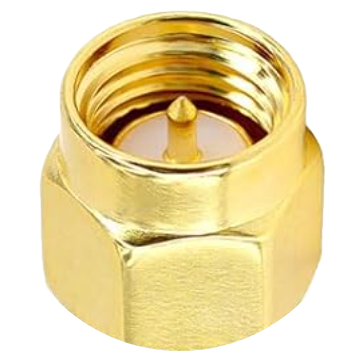
| Antenna connector | SMA male | ||
| USB connector | USB-C | ||
| DC input connector | None | ||
| DC input voltage | None | ||
| Audio connector | K1 (Kenwood) | ||
| PTT | 2 buttons, one for each band | ||
| Buttons | 1 programmable button below PTT buttons, defaults to flashlight | ||
| Knobs | Volume knob with power switch | ||
| MicroSD | None | ||
| Built in | |||
Flashlight | |||
Decoding The Display
There is an S-meter looking thing at the top of my display, but it's not an S-meter, it activates when you transmit, and it always seems to go to 5 when you are keyed up, and 0 when you are not. There's a H/L indicator for transmit power, and a W/N for wide and narrow FM. There's a bluetooth symbol when the bluetooth is on. Don't know what the arrow circles thing is, and the "S" next to it. Don't know what the blue "OFF" to the right is either. It seems to change to CT when you transmit a CTCSS tone. When you push Blue 5 it puts an "R" in the display, I assume this is a listen on the repeater input frequency feature. The number pad 3 key says SCN, but when you push Blue 3 you get the power save menu, not the scan menu press and hold '*' to get a lock icon on the display and lock the keypadFirmware Upgrade
To upgrade the firmward on the H3, you'll need a Windows computer and a K1 programming cable. I tried to do it over USB-C and wasn't able to make it work.
- Go to tidradio.com, and choose software download from the top nav menu
- You'll have to create an account
- Ignore the janky website graphics
- Choose software on the top nav
- Scroll down and find the manufacturer software section, and pick TD-H3
- Download the file
- Inside you'll find a firmware upgrade document, and a video showing how to do it
- The firmware download includes a PDF version of the paper manual, which is nice
Chirp
In addition to programing the memories, CHIRP will let you program most of the settings too. Chirp worked fine on my mac with a standard USB cable.
Listening to Airband
You can tune airband frequences (between 108 and 136 MHz), but you won't hear anything unless you turn Menu 48 on, which enables AM decoding for those transmissions.
How To Unlock
I have the Ham version of this radio, and TIDRADIO sells what looks like the same device as a GMRS radio. There is a procedure which changes the radio to allow transmit on the amateur radio bands, the GMRS band, or on everything:
- Turn off the handheld
- Hold the main PTT button and the asterisk key while turning on the radio
- You'll see a select screen, from which you can choose to lock the radio to the ham bands, GMRS band, or select "Normal" to allow transmission on any frequency.
Experimental Third Party Firmware
If you are really adventerous, you can try a third party experimental firmware for the H3 from nicsure. This firmware adds a custom menu with a few useful settings. If you are hoping for major feature additions, you'll be disappointed.
Additional Resources
- Buy online directly from TIDRADIO or search for it on Amazon.com
- YouTube playlist from TIDRADIO with a bunch of short videos explaining most of the features of the radio
- NotaRubicon has a video review of the H3, and a followup published a couple months later.
- Josh Nass has a nice video review on his Ham Radio Crash Course YouTube channel